- Post-Launch App Support
- 2026-07-10
Post-Launch App Support: How to Keep Your App Secure & Scalable
Audio Track
Table of Contents
Key Takeaways:
- Post-launch app maintenance is important for keeping your application stable, secure, and aligned with the changing expectations of the users and technology updates.
- Continuous updates and monitoring help in finding out early issues, enhancing performance, and improving long-term user satisfaction and retention.
- Maintenance impacts the app store ranking directly by enhancing ratings, decreasing crashes, and showing ongoing product activity.
- Security patches and compliance updates help in protecting user data, preventing breaches, and maintaining brand credibility.
- A structured and proactive strategy for maintenance ensures support for new features, scalability, and keeps your app competitive in a speedily changing digital ecosystem.
Overview- Understanding Post-launch Maintenance
In this journey of digital innovation, launching an application is an important step for a business. However, launching an app is just the beginning. The app journey needs ongoing evolution as well as adaptation of the mobile application. The post-launch stage is vital for the success of the application. It consists of a wide variety of activities. The most crucial among them is maintenance. These ensure that the app stays relevant, competitive, and functional. They are important in a continuously changing technological landscape.
As an application is live, post-launch app maintenance becomes the most crucial step. This step is all about improving the app, making fixes, and evolving it to fit the user's needs now and later. It is an important part as it deals with some steps.
Firstly, an app development company handles the bugs and issues that were missed before the release of the app. Thereafter, it utilizes feedback from people utilizing the app to enhance the experience. Next, it keeps pace with the new technological changes. It also ensures the app works fine with the newest operating systems and devices. This helps in letting the app stay fresh, allowing it to evolve and meet the user and the online world's requirements.
What Makes Ongoing Maintenance and Support Important?
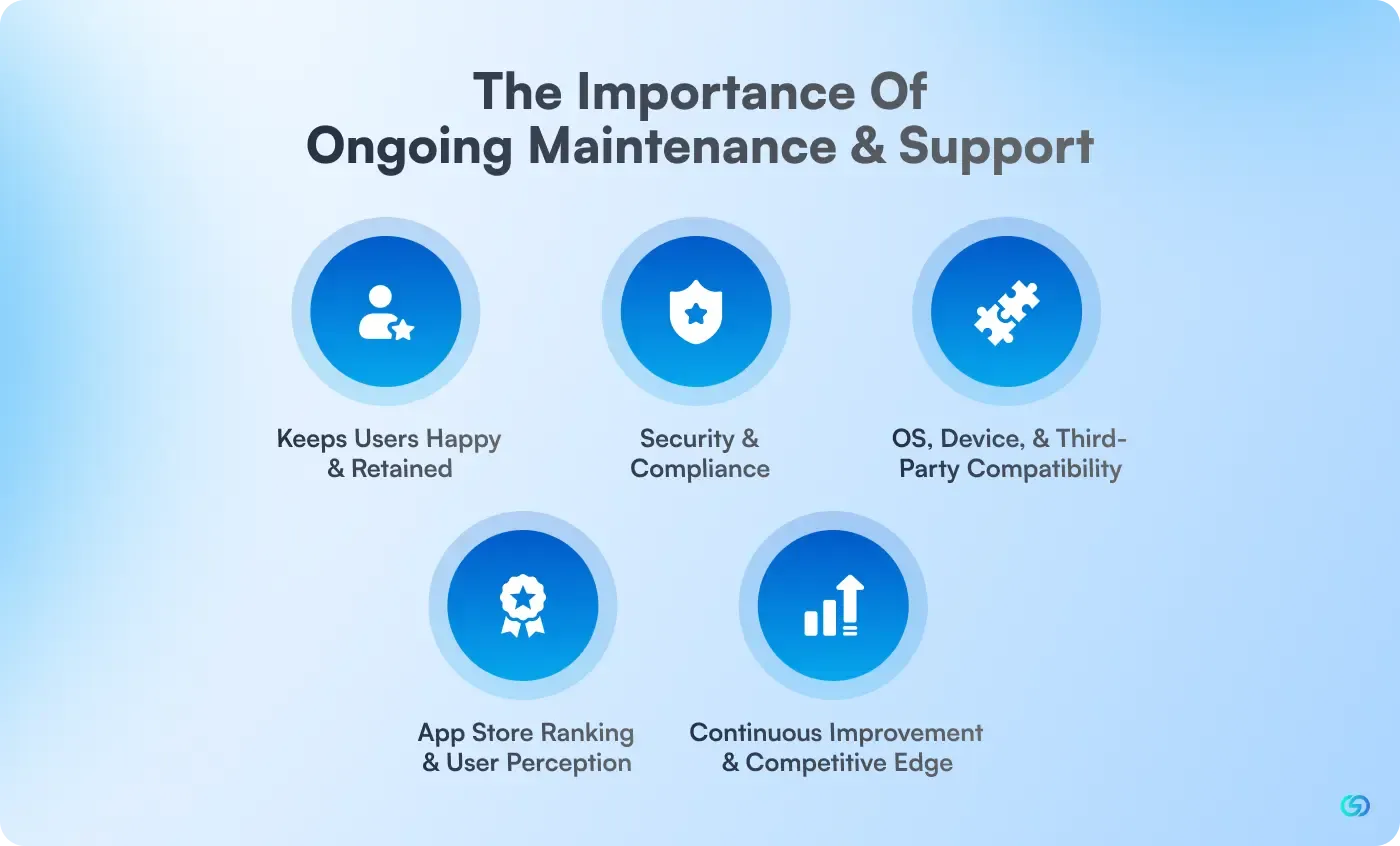
Post-launch app maintenance includes everything that is behind-the-scenes to ensure the app is working seamlessly, securely, and in step with the requirements of the users after the initial development process is over. This involves all the bug fixing and OS compatibility updates for fine-tuning the experience of the user, as well as adding new features over time. Neglecting these tasks frustrates the users, exposes you to the risks of security, and degrades the value of the app.
🔷 Keeps Users Happy and Retained
A properly maintained application meets user expectations consistently by fixing issues, enhancing performance, and refining the complete experience. When the users encounter easy functionality and speedy updates, they are most likely to remain engaged and loyal. Timely maintenance also assures that feedback-driven enhancements are implemented, decreasing churn and powering long-term user satisfaction.
🔷 Security and Compliance
Cyber threats are evolving continuously, and outdated applications become quickly vulnerable to breaches. Continuous maintenance ensures on-time security patches, protection against emerging threats, and compliance with global data regulations. This not only safeguards but also develops credibility and trust. A secure app decreases legal risks, helps in preventing downtime, and keeps the reputation of your business intact.
🔷 OS, Device, and Third-Party Compatibility
Devices, operating systems, and third-party services release continuous updates that can disrupt the functionality of the app. Regular maintenance ensures that the application remains compatible with device models, new iOS/Android versions, APIs, and integrations. This helps in preventing crashes, broken features, or reduced performance. Adapting to this evaluation helps in maintaining a modern, seamless, and future-proof user experience.
🔷 App Store Ranking and User Perception
Apps that are frequently updated are supported by the algorithm of the app store, resulting in better rankings and visibility. Users consistently view updated apps as more trustworthy and high-quality. Ongoing maintenance helps enhance ratings, decrease negative reviews, and improve your brand perception. A well-maintained application signals reliability as well as attracts more organic downloads.
🔷 Continuous Improvement and Competitive Edge
Continuous maintenance allows businesses to introduce new features, streamline performance, and respond to the changing market needs. This kind of proactive approach helps in keeping the application relevant and competitive, mainly in sectors where the trends shift quickly. Constantly refining the experience of users, helping you remain ahead of competitors, meet user expectations and provide long-term value via continuous innovation.
What are the Key Components of Post-Launch Support?
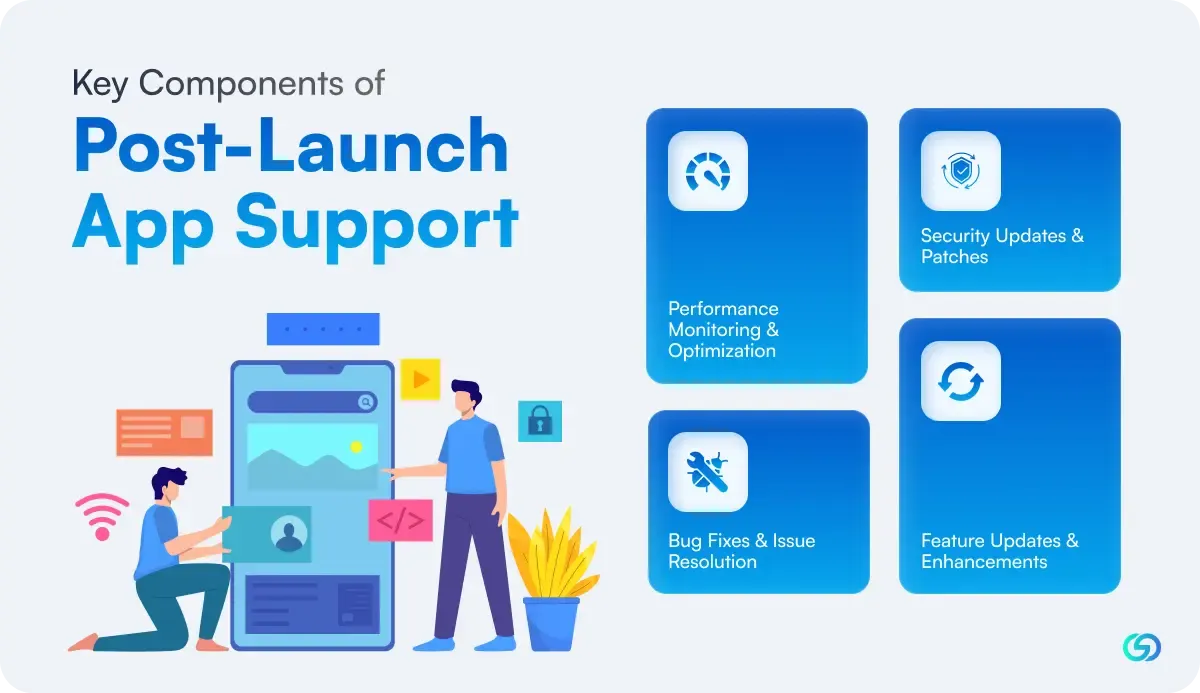
The various components of post-launch app maintenance are as follows-
🔶Performance Monitoring and Optimization
Ongoing performance monitoring helps in finding out crashes, bottlenecks, and user experience issues before they impact the complete user base. This includes monitoring app loading times, battery consumption, memory usage, and network efficiency.
For comprehensive insights on implementing effective strategies for monitoring, refer to this detailed app maintenance guide, covering the best practices of the industry and proven methodologies.
🔶Security Updates and Patches
Security threats change constantly, making regular security updates critical for protecting user data and maintaining trust. This involves implementing new security, patching vulnerabilities, and ensuring compliance with changing regulations.
🔶Bug Fixes and Issue Resolution
Despite detailed testing during development, issues can still pop up in production environments. Fast identification and resolution of these problems is important for maintaining user satisfaction and ratings of the app store.
🔶Feature Updates and Enhancements
User requirements and market trends change over time. Regular feature updates help in keeping your application relevant as well as competitive while offering value to existing users and attracting new ones.
Types of App Maintenance
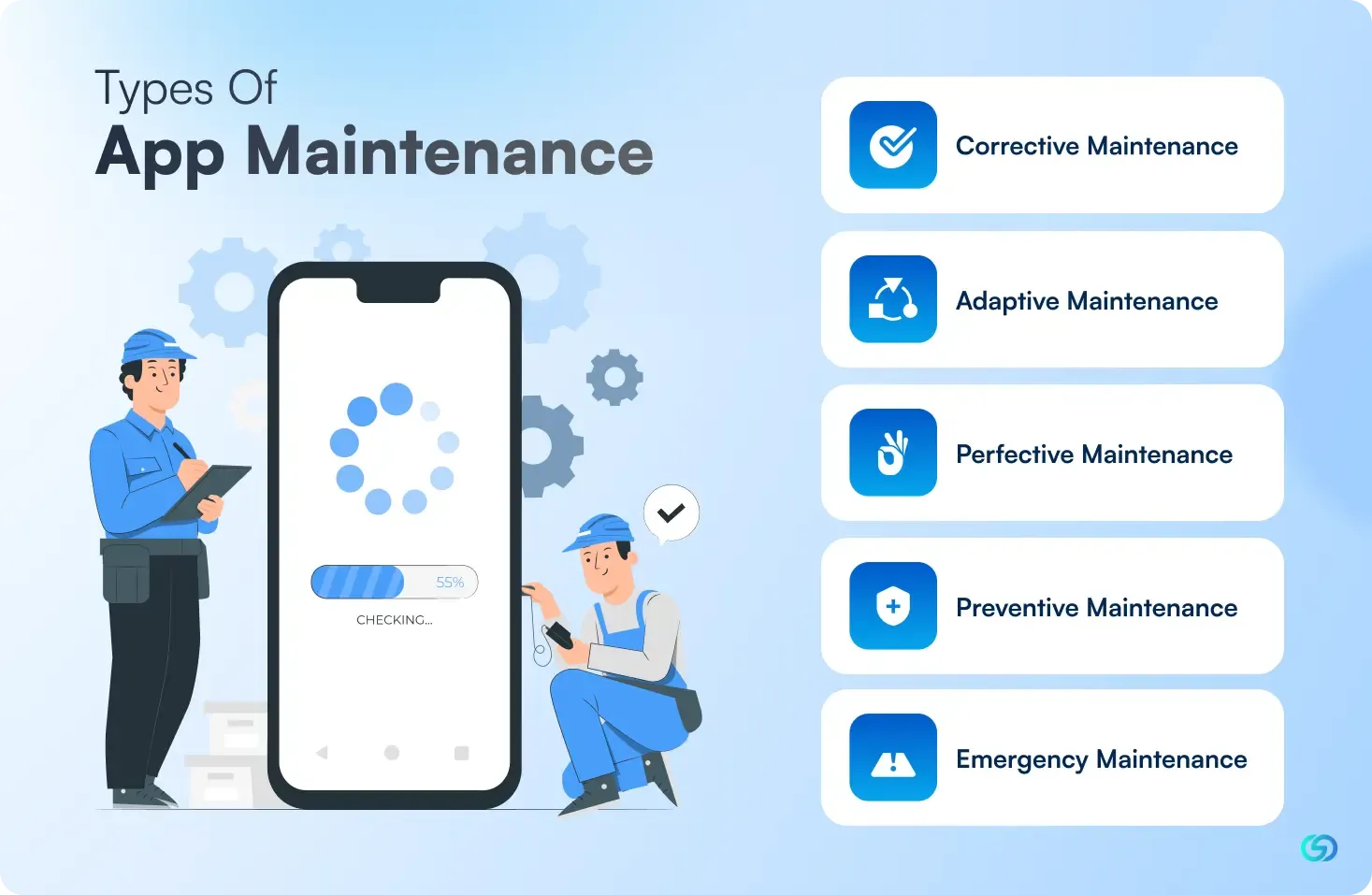
Understanding the formal types of app maintenance helps in planning your strategy and effectively allocating resources-
⏯️Corrective Maintenance
This includes fixing bugs, crashes, and other problems that affect the application functionality. It is reactive maintenance, addressing issues as they happen.
⏯️Adaptive Maintenance
Adaptive maintenance ensures that your app stays compatible with the new devices' operating system versions and third-party integrations. This kind of maintenance is important for Android app development, where device fragmentation is important.
⏯️Perfective Maintenance
Perfective maintenance focuses on enhancing app performance, user experience, and adding new features based on market demands and user feedback. For enterprise apps, this mostly includes scaling features for accommodating growth and expanding user bases.
⏯️Preventive Maintenance
These are proactive measures taken for preventing future issues, including optimization of code, database maintenance, and security hardening.
⏯️Emergency Maintenance
Emergency maintenance includes the instant, reactive deployment of a crucial update for fixing critical issues affecting the main app functionality, availability, or security.
Benefits of Professional Maintenance Services
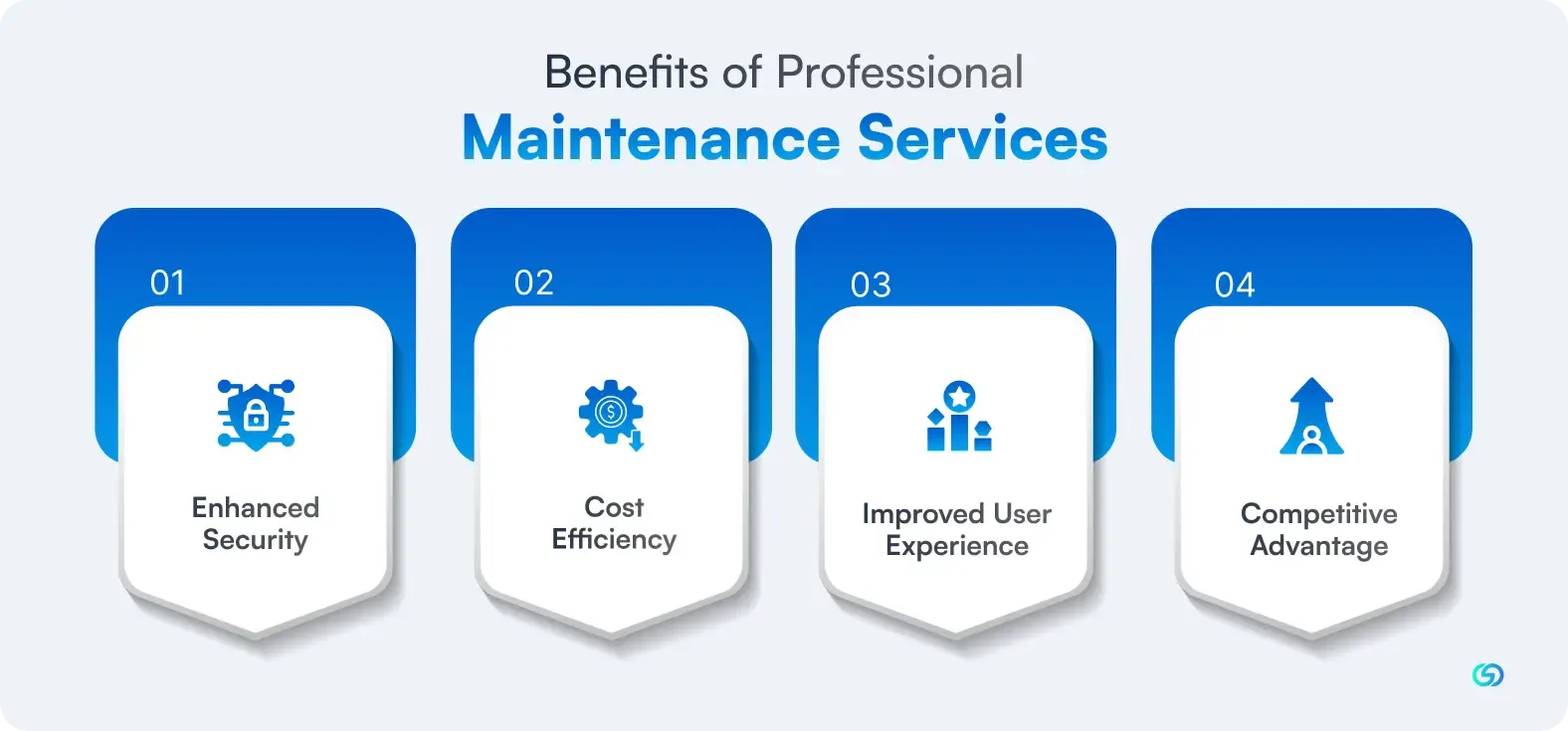
The various advantages of professional maintenance services are as follows:
⏯ Improved User Experience
Regular or ongoing maintenance ensures your application continues to offer a seamless, intuitive experience throughout all supported devices as well as platforms. This results in higher user retention rates and positive reviews.
⏯ Enhanced Security
Professional maintenance involves ongoing security audits, vulnerability assessments, and implementation of the recent security measures to protect the data of the user and the business's reputation.
⏯ Cost Efficiency
Professional maintenance ensures that your application keeps on offering a seamless, intuitive experience across all the supported platforms and devices. This results in higher user retention rates and positive reviews.
⏯ Competitive Advantage
Well-maintained apps that introduce new features and enhancements regularly remain ahead of competitors who neglect post-launch support.
Planning for Long-Term App Maintenance and Support
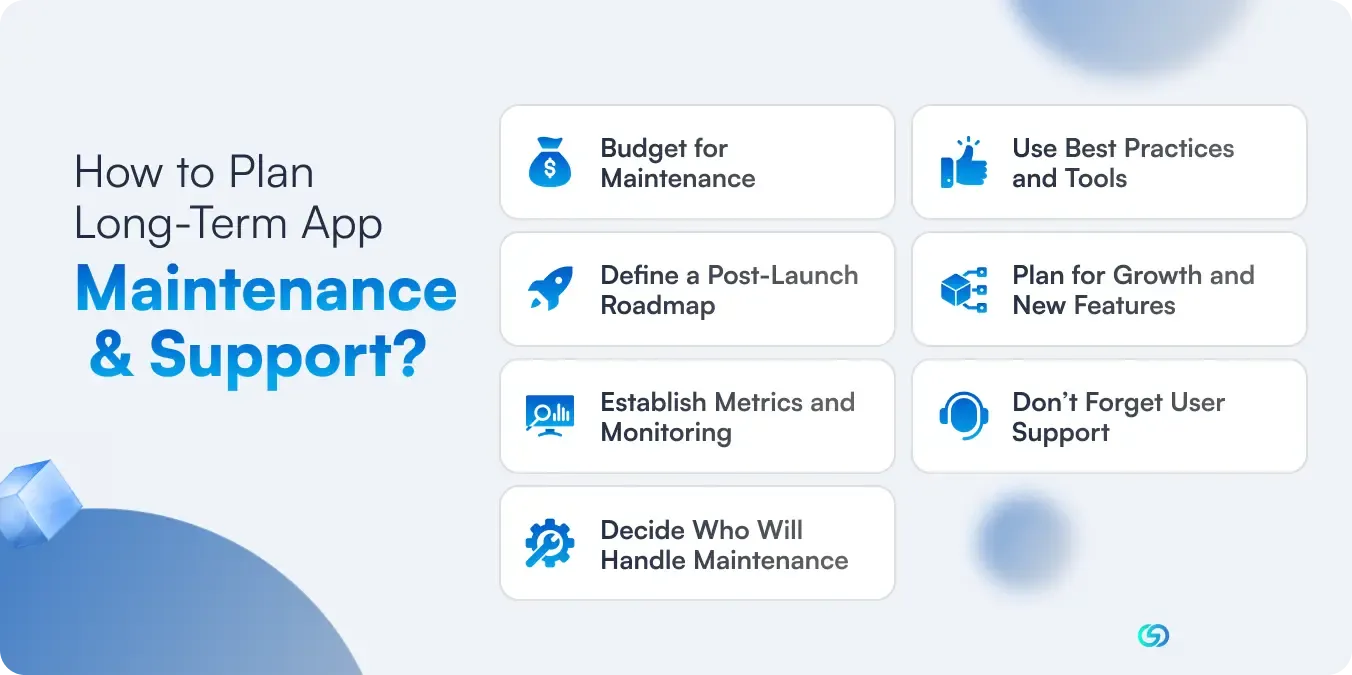
Maintenance must not be an afterthought. The most successful application projects plan for post-launch support from the very start: Here is how:
▶️Budget for Maintenance
As a rule of thumb, allocate about 15 to 20% of the initial cost of development for the maintenance year. If the app costs $200K to develop, plan on $30K-$40K annually for fixes, updates, and enhancements. Include ongoing operational costs as line items. Planning helps prevent funding gaps that result in stagnation.
▶️Define a Post-Launch Roadmap
Before the launch of the app, develop a roadmap for maintenance for covering the first 3,6, and 12 months. Include:
- A stabilization window immediately after the release for urgent bugs and early feedback.
- A cadence for small updates every month and larger feature releases on a quarterly basis.
- Time for technical tasks such as dependency updates, performance tuning, and refactoring.
These further sets expectations that the development is ongoing and helps with resourcing and budgeting.
▶️Establish Metrics and Monitoring
Enable data drive priorities. Set up analytics, crash reporting, and feedback channels. Hold regular review meetings and triage to decide what goes into the next release. Treat maintenance as an iterative process, data-driven: monitor, learn, act.
▶️Decide Who Will Handle Maintenance
Assign responsibility clearly. If you do have an internal bandwidth, keep your development partner or choose a new partner experienced in providing long-term support. Look for fast response times, familiarity with your technological stack, and a clear agreement that helps in avoiding ambiguity when urgent problems pop up.
▶️Use Best Practices and Tools
Systematize ongoing maintenance:
- CI/CD pipelines, as well as automated tests for catching regressions.
- Staged rollouts to reduce the blast radius of issues.
- Robust documentation for making handoffs seamless.
- Proactive tracking for library changes, OD betas, and ecosystem shifts.
- Scheduled security audits as well as performance tuning.
Be proactive, not just merely reactive.
▶️Plan for Growth and New Features
Balance the upkeep with innovation. Keep a backlog maintained for enhancements informed by market research and feedback. Choose to alternate “feature releases” with “maintenance releases”. Set an explicit time split for stability and innovation, both getting attention.
▶️Don’t Forget User Support
Support channels must directly feed into the dev ticketing system. Publish understandable release notes to show progress and develop trust. Choose a public roadmap for reinforcing that the app is active as well as cared for.
Strategies for the Maintenance of Mobile Apps
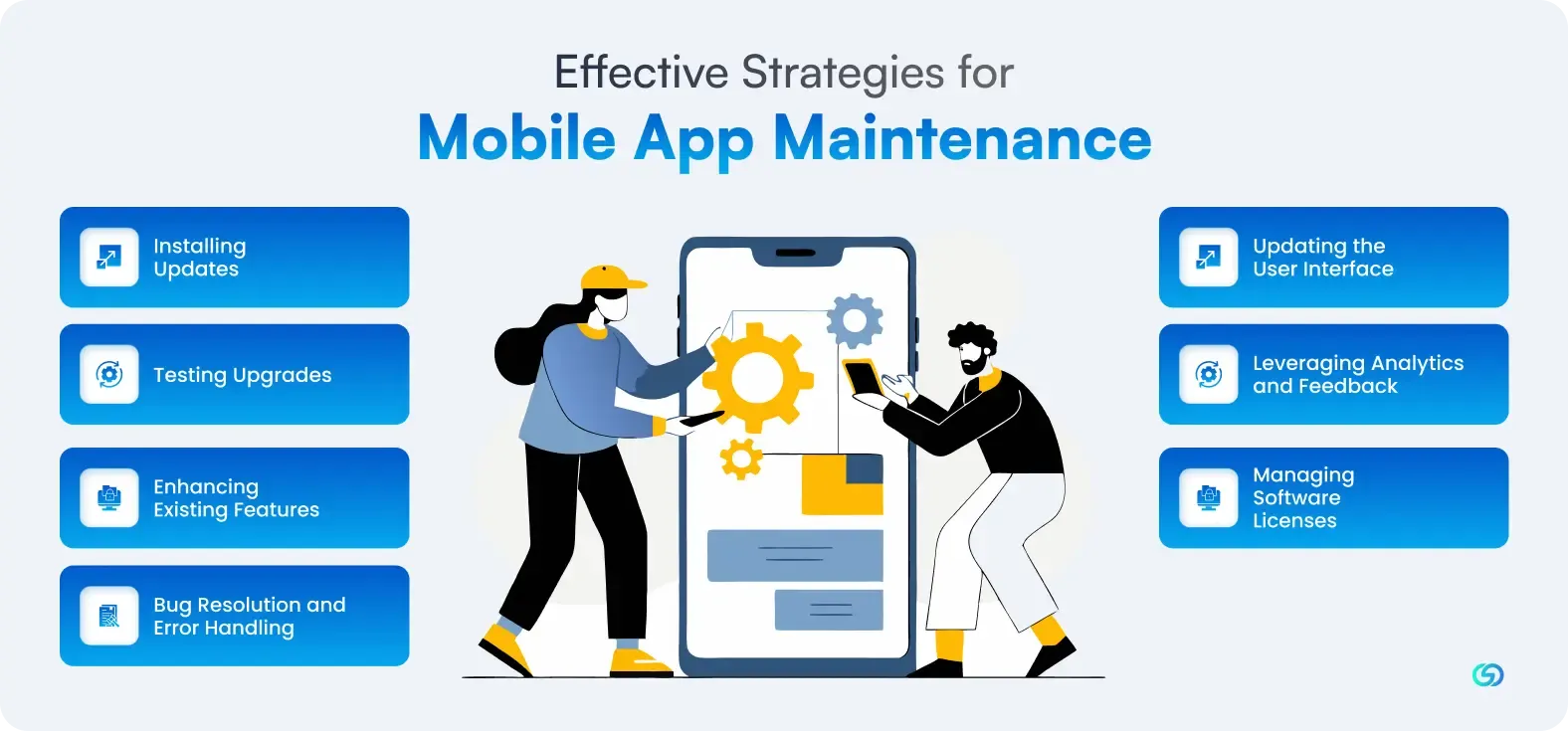
So, how can you maintain mobile apps? Here are the seven strategies to consider-
💠Installing Updates
It is hard to develop a perfect application in the first go; updates are necessary for improvement. Additionally, as technology advances, it becomes important to incorporate newly created capabilities into the present software. Ongoing updates help in keeping an application up to date with the current technology while also reflecting that the creators are always striving to enhance the experience of users. Updates for mobile applications are easy to install, and adding new features to the application is a breeze.
💠Testing Upgrades
Before releasing any version of the app, it is important to test thoroughly, mainly when migrating structures or data. Testing helps in ensuring an easy transition for the new users as well as the ones who are upgrading and preventing data loss or crashes.
💠Enhancing Existing Features
Invest in refining and evolving features based on real usage and feedback. Rather than just adding new things, improving what already exists makes the app more relevant and enjoyable for your current audience.
💠Bug Resolution and Error Handling
Constantly monitor for bugs and usability issues. Address these promptly to avoid frustrating users and to prevent small problems from becoming expensive or destructive.
💠Updating the User Interface
As design trends change, refresh your app’s UI. Evolving the interface keeps the app visually modern and aligns it with users’ shifting habits and aesthetic expectations.
💠Leveraging Analytics and Feedback
Use analytics tools and in-app feedback to gauge how users interact with your app. This data-driven insight helps you prioritize maintenance efforts, optimize features, and respond effectively to user needs.
💠Managing Software Licenses
Track third-party licenses and dependencies used in your app. Staying on top of renewals or expiry prevents unexpected costs and ensures that critical components remain valid and supported.
How To Ensure Post-Launch Mobile App Maintenance?
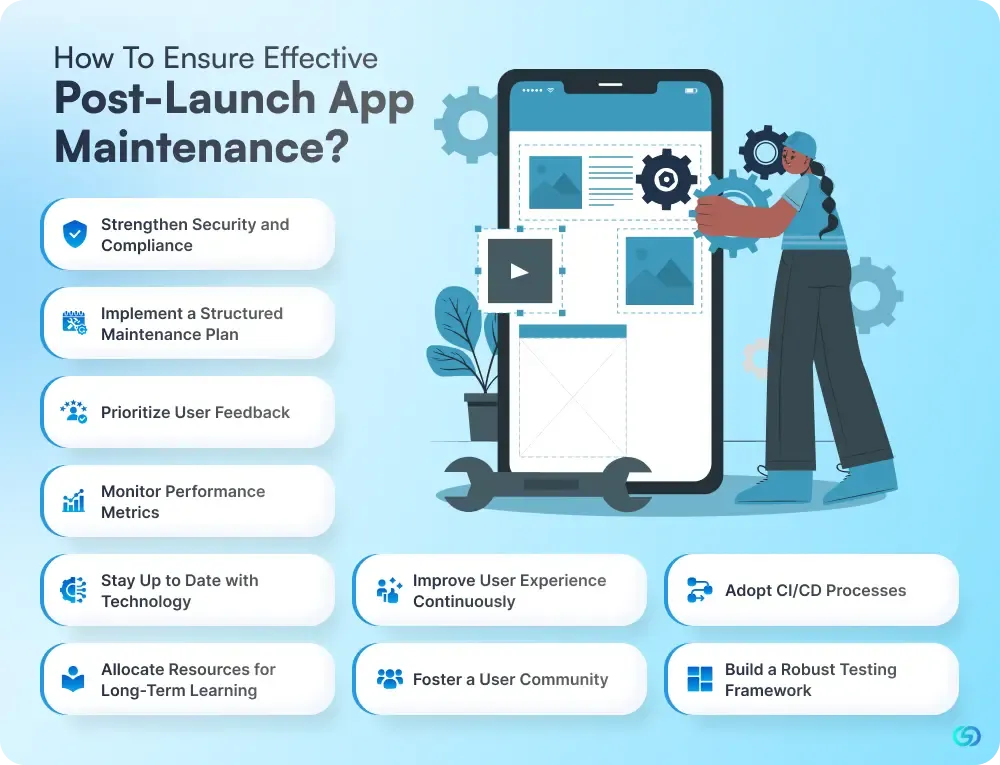
Ensuring effective post-launch maintenance includes creating a robust strategy that covers technical upkeep, user insights, and market adaptation. It helps your app stay reliable, secure, and competitive—and shows your users that you’re committed long-term. Here are ten essential practices to make your maintenance strategy strong and sustainable.
➡️Implement a Structured Maintenance Plan
Establish a clear and recurring maintenance schedule. Include regular updates, bug fixes, and security checks tailored for evolving requirements. The plan must be flexible yet disciplined, ready to adapt to unexpected issues while guaranteeing systematic review and optimization of app performance.
➡️Prioritize User Feedback
Set up mechanisms (in-app surveys, app store reviews, analytics) to gather and analyze user feedback. Use this input proactively, incorporating it into your roadmap. By doing so, you demonstrate responsiveness and build trust, users feel heard and rewarded when their suggestions shape real improvements.
➡️Monitor Performance Metrics
Use analytics tools to continuously track crash rates, load times, and user engagement. Regular monitoring enables you to identify performance bottlenecks early and resolve them before they hurt the app’s reputation or cause user dissatisfaction.
➡️Stay Up to Date with Technology
Keep your app aligned with the latest OS versions, device hardware, and development frameworks. This not only ensures compatibility but also helps you leverage new capabilities for better performance and fresh functionality.
➡️Strengthen Security and Compliance
Run periodic vulnerability assessments and update security protocols. Implement the latest encryption methods, patch libraries, and ensure compliance with data protection laws. This helps you mitigate risk, protect user data, and preserve trust.
➡️Improve User Experience Continuously
Analyze how users interact with your app to spot pain points. Refine the UI/UX by iterating on design, adjusting navigation flows, and making the app more intuitive ensuring the experience stays engaging, efficient, and user-friendly.
➡️Adopt CI/CD Processes
Implement Continuous Integration and Continuous Deployment pipelines. Automating testing and deployment accelerates your release cycles, reduces manual errors, and makes it easier to push updates consistently without disrupting users.
➡️Build a Robust Testing Framework
Utilize a mix of automated testing, user acceptance testing, and beta testing. Before every update, make sure new changes are thoroughly tested across devices and scenarios, minimizing the risk of introducing fresh bugs.
➡️Allocate Resources for Long-Term Learning
Invest in ongoing learning for your dev and QA teams. Encourage staying up to date with new technologies, best practices, and tools. This not only improves the quality of maintenance but also drives innovation in future app versions.
➡️Foster a User Community
Create engagement channels like forums, in-app feedback forms, or social media for users to interact, share ideas, and report issues. A community nurtures loyalty, generates actionable feedback, and makes users feel invested in the app’s growth.
Application Maintenance Best Practices for 2026
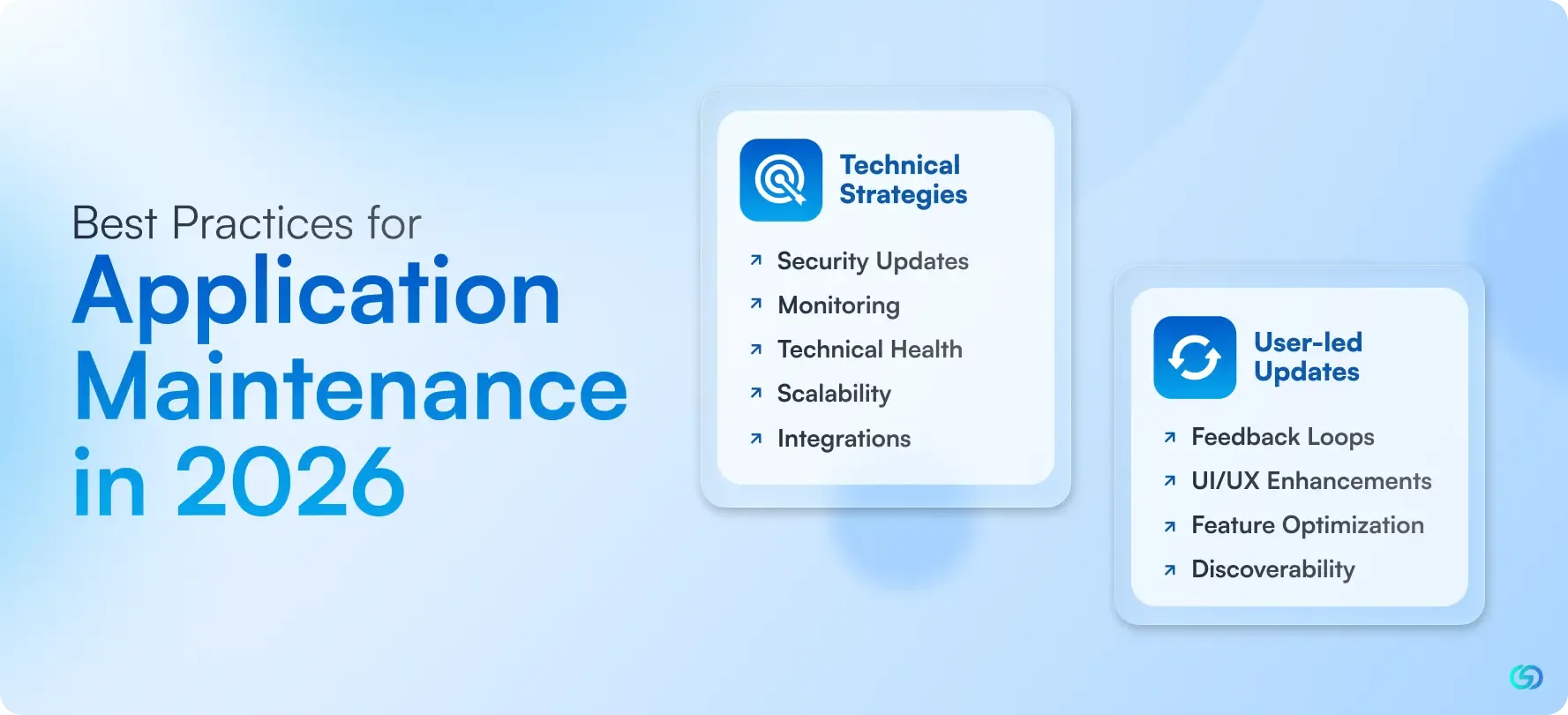
Post-launch app maintenance also needs a balance of technical foundation and user-led iteration. Not having a robust architecture makes your team slow down, and if you do not focus on listening to the users, you will miss what is important. Given below are some technical and user-inspired strategies and the benefits they offer-
❇️Technical Strategies
- Security Updates: On-time security updates help in preventing breaches that hamper trust and are more expensive than prevention. Consistent risk assessment and updating patches for AI/data privacy will help in keeping you both compliant and user safe. Track the information of the user responsibly and ensure compliance with privacy regulations and the latest security measures.
- Monitoring: Smart monitoring helps in catching issues before the tank affects your ratings. Tools such as observatory platforms and crash reporting assist you in spotting and fixing issues faster. For instance, a crash spike on a particular round version assisted one team in making a fix in under 24 hours.
- Technical Health: Ongoing integration, clean code, and modular architecture enable you to say yes to updates without affecting your roadmap.
- Scalability: Cloud-native infrastructure allows you to scale the parts of your applications independently. Caching, performance tuning, and streamlining background tasks make for speedy and reliable experiences.
- Integrations: Your application exists within an ecosystem. Remain ahead by proactively handling OS updates, API changes, and third-party SDKs.
❇️User-led Updates
- Feedback Loops: Listen to the feedback provided by the users but also search for patterns. The behaviours of the users act as signals, and reviewing the trends most likely reveals where you should focus for improving user engagement.
- UI/UX Enhancements: Users want clarity, speed, and polish. Consistent user interface updating ensures regularity. Mostly, small improvements work better than big redesigns and can improve user experiences.
- Feature Optimization: Enhance what is already there. Make features more user-friendly or helpful, depending on actual use and not assumptions.
- Discoverability: Continuous updates give a signal to Google Play and App Store that your application is alive and working well, which can enhance visibility and rankings.
Common Maintenance Challenges and Solutions
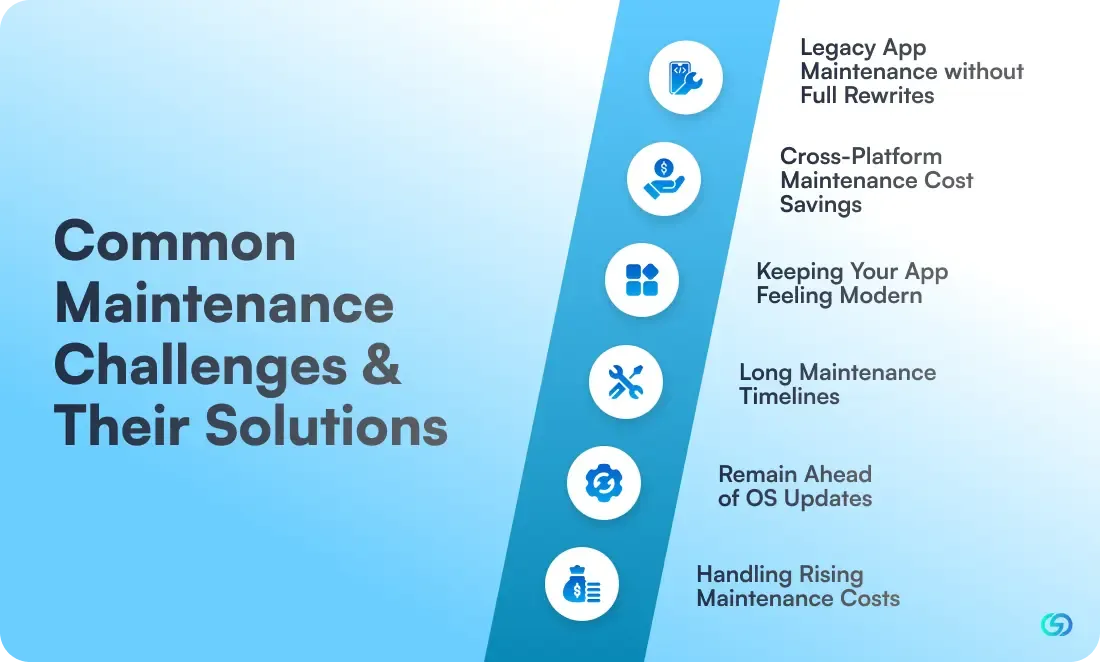
The various basic post-launch app maintenance challenges and solutions are as follows:
Legacy App Maintenance Without Full Rewrites
- Challenge: Legacy systems are holding us back.
- Solution: Your current backend may not require a full overhaul. Choose to add modern interfaces while keeping stable main systems.
Cross-platform Maintenance Cost Savings
- Challenge: Cross-platform maintenance is hampering our budget.
- Solution: Using a separate iOS and Android codebases increases your workload, mainly at the data layer. Understanding these costs beforehand helps you make informed decisions on whether to develop native, cross-platform, or hybrid, as the platform you choose directly affects long-term maintenance costs and complexity.
- **Keeping your App Feeling Modern
- Challenge: The application feels outdated just after a year.
- Solution: Schedule refreshes quarterly for both performance and visuals. Modern design changes faster, and small updates in the user interface keep your app looking current. This should be paid with continuing performance optimization for ensuring the app both looks and feels modern, fast, and responsive.
Long Maintenance Timelines
- Challenge: Maintenance is a time-consuming process
- Solution: Technical debts will mostly slow you down. Dedicate 20% of every maintenance cycle to refactoring as well as cleaning up. This is an investment in future speed.
Remain Ahead of OS Updates
- Challenge: OS updates damage the app.
- Solution: To make sure a seamless transition, it is crucial to understand exactly how OS updates affect apps and plan accordingly. Ensure to join Google’s and Apple’s beta programs. Test the application against the beta OS versions 2 to 3 months before releasing it to the public to provide you and your team with the time to address issues related to compatibility.
Handling Rising Maintenance Costs
- Challenge: Maintenance costs keep increasing.
- Solution: Analyze your architecture. Monolithic apps get more expensive to maintain over time. Choose application modernization, modularizing, and migrating to a more maintainable pattern.
How to Make Maintenance Work: Turning Strategy into Practice?
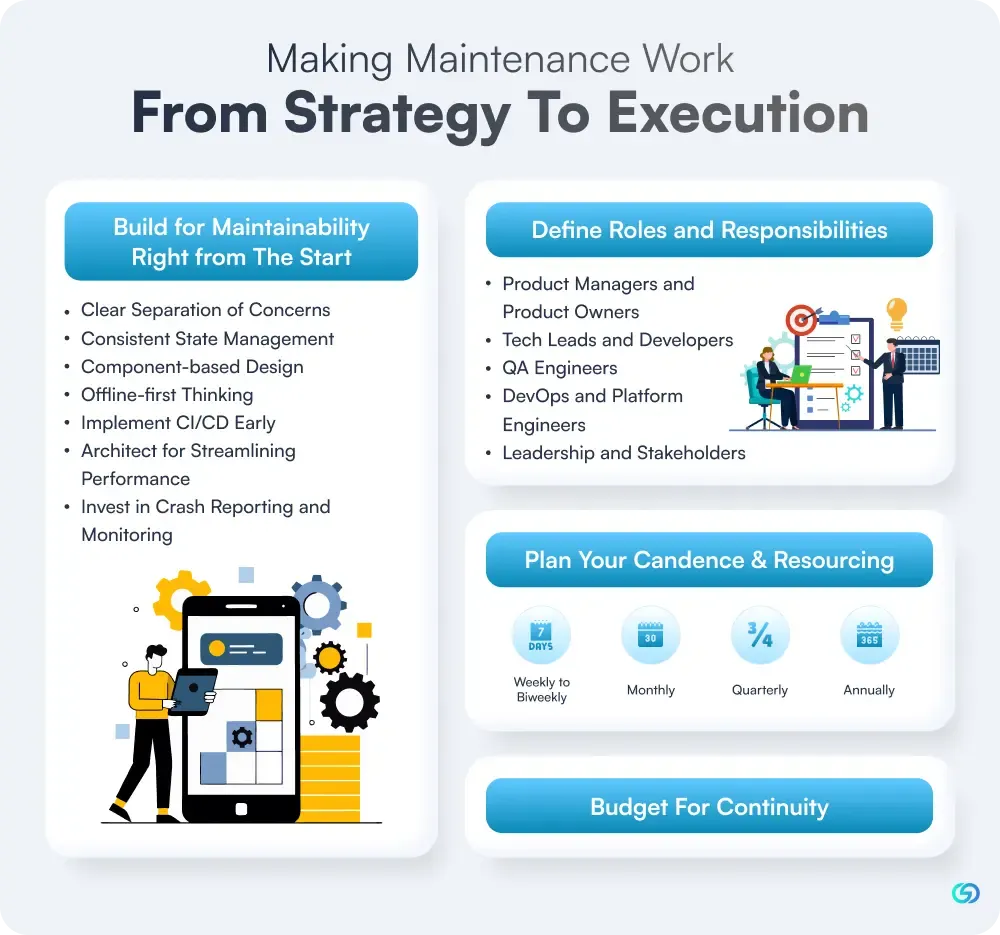
Deploying a mobile application is a huge lift. However, the work does not stop at the launch; it changes. Post-launch maintenance ensures more than just fixing bugs, and updates of the operating systems are a part of your app’s transformation journey. The systems need to be in place for keeping your product secure, competitive, and liked.
How to Make Maintenance Work?
1️⃣Build for Maintainability Right from the Start
Smart maintenance starts during the process of development. Building with observability, flexibility, and scale in mind ensures that your team is not forced later into reactive fire drills.
- Clear Separation of Concerns: Organize code into domain, data, and UI layers. Separation makes it easier to trace bugs and easier to build features.
- Consistent State Management: Represent the state of the app in predictable ways so behaviour does not spiral as the complexity grows.
- Component-based Design: Develop reusable blocks for both business logic and UI. No duplicacy in code. No tangled navigation.
- Offline-first Thinking: Anticipate scale. If your app requires handling huge local datasets, pre-architect for it.
- Implement CI/CD Early: Implement CI/CD early for shipping faster and testing often.
- Architect for Streamlining Performance: Architect for optimizing performance from day one, thus you are not forced into expensive rewrites when the user base scales up.
- Invest in Crash Reporting and Monitoring: Spend on monitoring and crash reporting before the first users come up.
2️⃣Define Roles and Responsibilities
Post-launch maintenance is not the job of a single person but a responsibility to be shared. This responsibility is across engineering, product, quality analysts, and DevOps teams. However, shared does not mean it's vague. In order to make maintenance effective, every role requires a clear seat:
- *Product Managers and Product Owners: Product managers and owners prioritize what gets maintained after the launch. They also determine what gets upgraded or deferred. This creates a balance between business goals and user needs.
- Tech Leads and Developers: Developers and tech leads manage technical debt, enforce architectural standards, and develop, keeping maintainability in mind by utilizing modular and documented code.
- QA Engineers: QA engineers validate maintainability and functionality, flag regressions, test gaps, or performance drifts before they become issues for the user.
- DevOps and Platform Engineers: Platform engineers and DevOps automate deployment, health monitoring, and keep the infrastructure busy as the complexity of the app scales.
- Leadership and Stakeholders: Stakeholders and leaders set the tone for the continuous investment. They align post-launch app maintenance with long-term product strategy.
3️⃣Plan Your Candence & Resourcing
There is no ideal update rhythm; however, you must define one. Post-launch maintenance cadence depends on industry, audience, and goals:
- Weekly to Biweekly: Fix issues, respond to urgent feedback, and monitor crashes.
- Monthly: Enhance performance, address dependency updates, and polish UI.
- Quarterly: Plan and deploy new features, incorporate platform updates (e.g., iOS widgets)
- Annually: Conduct complete architecture reviews, assess long-term tech debt.
4️⃣Budget For Continuity
Maintenance funding does not have to be an afterthought. Set aside 15 to 20%of the initial budget of development every year and adjust depending on the app complexity, compliance needs, and user scale.
Conclusion
Post-launch app maintenance is not an option anymore. It is rather a strategic imperative that determines whether your app thrives or becomes obsolete. As user expectations, technology, and security threats evolve, ongoing maintenance ensures your app stays fast, stable, and future ready. Starting from performance tuning and bug fixes to security updates, OS compatibility, and future improvements, every step plays an important role in enduring long-term success. Businesses that invest in proactive maintenance strengthen security, retain users, and remain ahead of competitors.
At ConvexSol, we assist brands in developing apps that do not just deploy but also grow, adapt, and perform flawlessly over time. With consistent updates, expert monitoring, and continuous innovation, we ensure your app provides lasting value in a fast-changing digital landscape.
Frequently Asked Questions
What are the most important user behaviours to track for maintenance?
Tracking user behaviour helps in finding out gaps and opportunities for enhancement. Key metrics involve feature usage patterns, session duration, navigation flow, crash occurrences, drop-off points, and in-app feedback. These insights highlight underperforming features, reflect usability issues, and guide data-focused decisions for updates and feature optimization.
How often should mobile apps undergo post-launch maintenance?
Apps need to undergo maintenance continuously; however, a structured cadence works best. Small updates recommended every month, performance checks bi-weekly or weekly, and quarterly important enhancements. Critical fixes or security patches need to be deployed immediately. The exact frequency depends on app complexity, industry, and user scale.
What are the risks of neglecting post-launch maintenance?
Neglecting maintenance results in security vulnerabilities, outdated features, frequent crashes, and compatibility issues with new OS versions or devices. This decreases satisfaction of the users, affects app store ratings, increases churn, and may finally result in revenue loss. With time, if the technical debt is not resolved, it also drives up long-term expenses.
What role does post-launch maintenance play in ensuring app scalability?
Post-launch app maintenance ensures that the app can handle increasing data, users, and functionalities without performance degradation. By refining architecture, optimizing code, updating dependencies, and enhancing backend infrastructure, maintenance supports seamless scaling. It also helps in preventing bottlenecks and ensures the experience is fast and reliable as the traffic grows.
How does maintenance improve app store ranking?
App stores reward the application that goes through continuous updates. Regular maintenance enhances load speed, decreases crashes, drives better ratings, and improves usability- all the main ranking factors. Updates applications signal responsiveness, relevance, and reliability, enhancing visibility and organic downloads. Consistent improvement directly strengthens the performance of the app store.
How does app maintenance relate to performance optimization?
App maintenance continuously refines performance by addressing battery consumption, memory usage, API efficiency, and loading speed. Through continuous monitoring, code optimization, and bug resolution, maintenance helps prevent slowdowns and ensures seamless functionality. This leads to a faster, more stable app experience that keeps the users engaged.